
What to look for in a bill splitting app
Item-by-item fairness, no guest app download, receipt scanning, and proper handling of tax, service, and tips—plus why a single-receipt tool beats a shared-expense ledger for tonight's dinner.
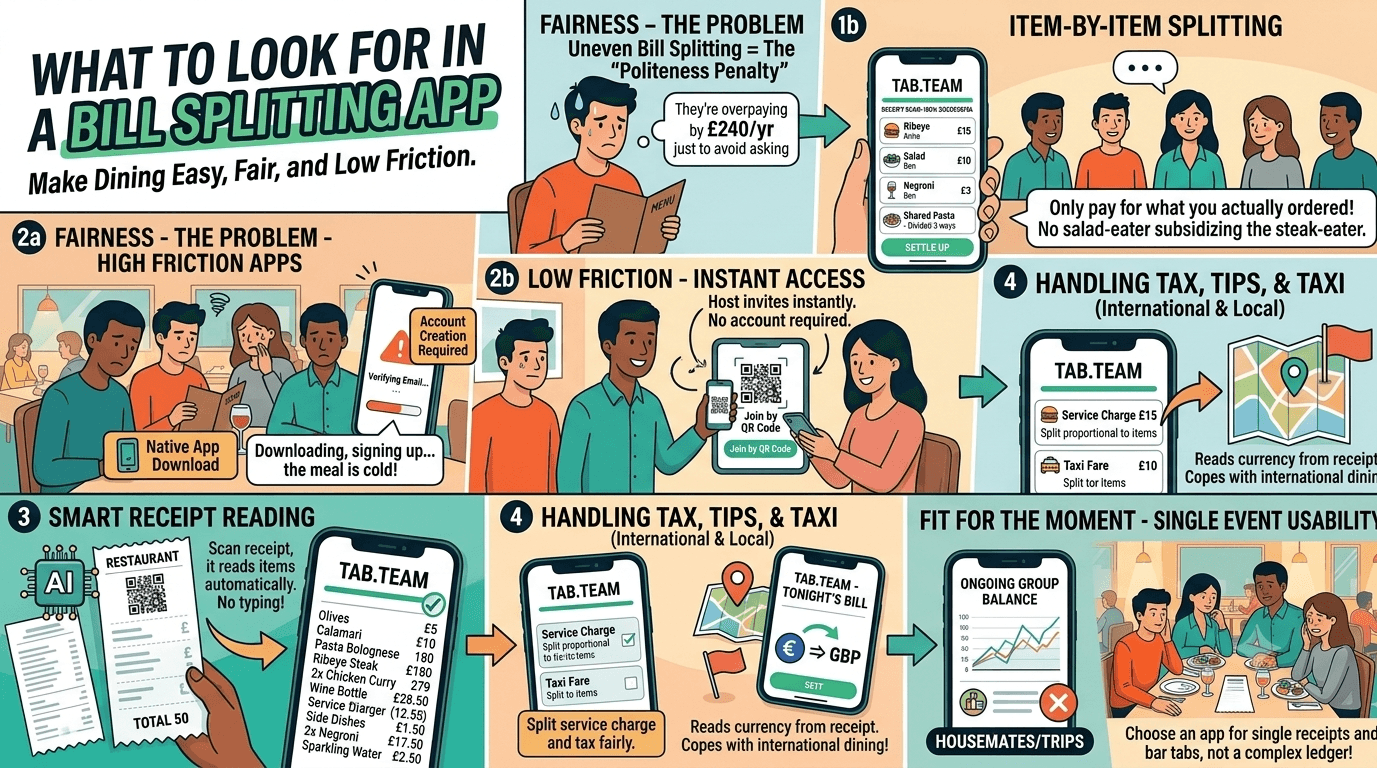
A good bill splitting app should do one very simple thing brilliantly: make it easy for everyone to pay for what they actually ordered, without turning the end of dinner into a minor administrative crisis. The best ones remove awkwardness, eliminate typing when the receipt is clear, and deal properly with the messy realities of real restaurant bills and checks — shared dishes, tax, service charge, and discounts.
That matters because uneven bill splitting is not a niche irritation; it is common enough that one in three diners regularly overpay just to avoid the social discomfort, according to reporting on a Zopa Bank study. The same reporting says that overpayment adds up to an average "politeness penalty" of £240 a year — a fairly absurd price to pay for not wanting to have a slightly awkward conversation over pudding.
Fairness first
The first thing to look for is item-by-item splitting. If an app mostly assumes the bill or check will be divided evenly, it may be fine for four people who all had roughly the same thing, but it quickly falls apart when one person skipped alcohol, another ordered the lobster, and a third brought two children who mainly consumed chips and chaos.
A useful bill splitting app should let people pay for what they ordered, split shared items properly, and avoid the usual nonsense where the salad-and-sparkling-water person quietly subsidises the steak-and-Negroni enthusiast.
Tab.team is built around that model: its AI reads the receipt, then the bill items are handled individually rather than shoved into one blunt divide-by-everyone total.
Easy at the table
The second thing to look for is low friction. If everyone at the table has to download an app, create an account, verify an email, and perhaps sacrifice a small goat to the App Store gods before claiming a starter, the product has missed the point.
A better setup is one where the host can do the whole thing alone or invite others to join instantly by QR code or link in the browser. Tab.team works that way: the host can assign items solo, or the group can join and claim their own items — no app download, no account needed.
Receipt handling
A bill splitting app should also eliminate manual typing when the receipt image is clear. People do not go out for dinner dreaming of keying in twelve drinks, three mains, two desserts, a mysterious "misc charge," and one suspiciously large bottle of red into a tiny form field.
Instead, the app should read line items, quantities, and prices automatically, then present them clearly so the table can work through them quickly. Tab.team's flow is designed around that: the receipt is scanned, the items are laid out to be claimed, assigned, or split, and the group can move through them in minutes rather than conducting a full forensic audit of the paper slip.
Charges and travel
A genuinely useful bill splitting app must handle more than food items. Real receipts include tax, service charge, tips, and discounts, and those should be separated out clearly so the host can decide whether each one is split evenly, by payer, or proportionally to what people ordered. Shared items and charges should also allow precise percentage splits, because "roughly half" is often how arguments begin.
It should also cope with international dining, because plenty of people need to split a bill or check on holiday or while travelling for work. Tab.team reads and displays the currency printed on the receipt, can translate line items for display, and uses receipt-derived country signals to handle included versus added tax, service charges, tips, and discounts — with host review rather than guesswork based on browser location.
Fit for purpose
Finally, look for an app that is built for the moment you are actually in. Some tools are really shared-expense trackers for housemates, trips, and long-running balances — useful if you are dividing rent or a week in Tuscany, but rather overengineered if all you need is to sort one restaurant bill before everyone wanders off into the night. See how Tab.team differs from shared-expense apps.
Tab.team is positioned for single receipts, restaurant bills, bar tabs, and takeaway orders, with browser-based access, item-level fairness, live claiming, and quick settlement — a much better fit for "sort tonight's bill now" than a general-purpose ledger app designed to remember who owes Dave £4.80 from last February.
Ready to try it at your next meal? Split your next bill or check with Tab.team — no download needed.